Contents
- 1 Introduction: The Future of Samsung with One UI 7
- 2 What is One UI 7?
- 3 Fresh Widgets: Customization Like Never Before
- 4 Updated Lock Screen: Easy Access to Live Activities
- 5 Redesigned Quick Settings: More Simple and Customized
- 6 App Icon Refresh: Simplified Design
- 7 Improvements Camera App: Capture Moments Like Never Before
- 8 Phone Call Recording: A Shift Towards Convenience and Privacy
- 9 Minimalist Home Screen: Simple and Uncluttered
- 10 Integrated Features: A Unified Experience Throughout the Ecosystem
- 11 Personalization: Flexibility at every stage.
- 12 The Benefits of One UI 7 for Multitasking Users
- 13 Samsung One UI 7: When and What to Expect?
- 14 Conclusion
- 15 FAQs
Introduction: The Future of Samsung with One UI 7
Samsung adds an extra zip to the One UI series of Android updates yet again; One UI 7 is the latest and greatest of them. This new version draws on the legacy of its predecessors has several exciting features designed to improve user experience and increase personalization. One UI 7 brings major changes over previous versions, including new widget styles, a completely redesigned lock screen, customizable quick settings, and even the ability to record your calls. Samsung isn’t just prioritizing how things look, they’re also prioritizing what works.
In this article, we cover all the big updates in One UI 7 and what you’ll gain in your daily day smartphone interaction. If you are a Samsung user or looking to get your hands on a new device, there is a lot to look forward to with this up date.

What is One UI 7?
Samsung just released One UI 7 for its devices which is the latest software release based on before generations of this One UI. These updates were designed to enhance usability, simplify device operation and provide better personalization capabilities. One UI 7 emphasizes aesthetic design, practicality, and privacy. While being packed with features that make the interface more intuitive.
And now Samsung is looking to provide their users with a more seamless smartphone experience with an update that builds on widget management, quick settings, camera and more. It brings some new features aimed at making daily tasks better, which means your phone will now feel more in touch with your likes.
Fresh Widgets: Customization Like Never Before
When it comes to One UI 7, one of the biggest highlights is widget overhaul. These interactive, mini snapshots of apps on your home screen now come in all sorts of sizes and shapes, offering an unprecedented degree of customization.
Size and Shape Variability
Widgets will be more flexible, allowing users to fill their home screens with widgets of all shapes and sizes. Be it your weather widget of a preferred size or your calendar, One UI 7 provides you with the liberty to decide your home screen.
Enhanced Visual Appeal
In addition to the size options, the visual design of these widgets has been refined and made more visually appealing. They’re cleaner, sharper and generally more in tune with modern design trends, so your home screen isn’t just functional, it’s nice to look at as well.
Updated Lock Screen: Easy Access to Live Activities
Where it is Updated Lock Screen Make Live Activities More Accessible
One UI 7 also received a complete redesign of the lock screen experience, bringing over a more interactive and functional experience that we never thought would be possible.
The “Now Bar”

The fresh “now bar” lives at the top of your lock screen, giving you quick access to activities that are going on — like playing music, timers, and more controls you might need at that moment. This latter is ideal for checking notifications or controlling apps without unlocking the device.
Quick Control Access
Samsung has also ensured that accessing core features such as Wi-Fi, Bluetooth and brightness is quicker and more intuitive so that you can do more things with your phone without unlocking it.
Redesigned Quick Settings: More Simple and Customized
Quick Settings are an essential feature of any smartphone experience, and One UI 7 brings a new and improved one. The revamped panel features a tidier layout and greater customization capability, allowing for easier switching in and out of preferences.
Efficient Layout
LED’s redesigned interface allows users to quickly identify frequently used settings. More streamlined controls and clearer icons help One UI 7 make it so that you won’t find yourself digging through a slew of menus just to turn a setting on or off.
Classic Vs New Layouts Toggle Options
So if you can’t live without the classic setup, Samsung allows you to go back to the old quick settings area for that familiar experience.
App Icon Refresh: Simplified Design
Samsung has also refreshed app icons, lending them a cleaner, more modern appearance. These icons resemble current design trends while showcasing Samsung’s move towards a more unified aesthetic.
Modern Aesthetics
The new icons are cleaner with rounded edges, simpler designs, and a cohesive color palette. This does not just improve the overall ache of your device but it also makes it feel more clean-cut and professional.
Cohesive Design Language
With this update, One UI 7 helps every icon across your phone to visually align with each other and create a unified design language that integrates everything.
Improvements Camera App: Capture Moments Like Never Before

One UI 7 has brought some serious improvements to Samsung’s camera app. Ones to note include motion photo support and improved zoom abilities.
Better Motion Photo Features
The update (via XDA) also brings significant controls and features for motion photos that enable users to capture more action-packed images. This enhances the lively, interactive feel of your photos, making them more immersive.
Enhanced Zoom Features And Improvements
Camera zoom features have also been enhanced with more zoom level control and better-quality images for shots taken further away.
Phone Call Recording: A Shift Towards Convenience and Privacy
Call recording is one of the most wanted features not just on One UI a lot of users are waiting for it and finally, this is now available to One UI 7 users. The added feature provides a layer of ease and security, allowing users the option to capture any significant conversations sooner rather than later, whether they be personal or business-oriented in nature.
Voice Recording and Transcriptions
Along with the recording, the new feature also has a transcription option in case users want to convert their recorded conversations into text, providing ease to users regarding essential discussions.
User Privacy and Legal Benefits
This device feature addresses growing privacy and legal concerns. This new feature allows users to make sure they have a complete record of their calls, which can be helpful for business or legal purposes.
Minimalist Home Screen: Simple and Uncluttered

Samsung also has options with One UI 7 that will help make your home screen appear more minimalistic and less cluttered. The new features allow you to remove app labels and widgets on your home screen for a cleaner, more even professional look.
Hiding App Labels
But even with that added simplicity, the default app labels can make things feel cluttered — so this is a nice little to have feature. For minimalist-oriented devices, this is transformational for creating a better-looking home page.
Declutter for a Slimmer Experience
With this update, your phone’s home screen serves as a blank canvas, letting you order your apps and widgets in a way that best suits your needs, with no distractions or unnecessary clutter.
Integrated Features: A Unified Experience Throughout the Ecosystem
Interconnected features is one of One UI 7’s best strengths that can work on various parts of the device. Samsung’s inclusion of features is the next step (definitely not least) to create a seamless user experience, where your device just makes sense, flows naturally and intuitively, works efficiently, and gives the impression of a connected combination from the device.
Countdown Widget
One convenient addition that showcases Samsung’s eye for detail is the countdown widget. Available in both the home and lock screens, this widget lets users keep track of all upcoming events and deadlines. No matter if you’re preparing for an important meeting or just awaiting an upcoming holiday, the countdown widget “allows you to be on top of the clock without the need to open the specific apps and diving into the timeline.”
The introduction of Lock Screen and Home screen integration
The countdown widget is not the only feature that seamlessly connects the home screen and lock screen. One UI 7 also adds a handful of related features, such as showing relevant live activities on the lock screen and allowing quick swapping of those activities when unlocking the phone. It greatly improves user experience; it feels fluid and seamless.
Personalization: Flexibility at every stage.
Customization is an important focal point in One UI 7 as users can further fine-tune their device in accordance with their needs. The new features should turn any Apple device into something distinctly personal, such as customizable widgets on their home screens or more personalized information on their models’ lock screens.
From customizing home screen layouts to quick setting changes, One UI 7 offers more tools than ever to create a device that fits your lifestyle. From simple, elegant designs to more interactive experiences, One UI 7 gives you the freedom to do so.
Better Usability: Access to All You Need
One UI 7 has seen immense strides taken by Samsung towards making their devices more usable. From the new “now bar” on the lock screen to quick access to key controls, everything you do on a daily basis is more intuitive and less time-consuming.
If you’re listening to music, for instance, you no longer have to unlock your device in order to pause or skip songs — just tap on that “now bar.” In a similar vein, you can manage timers, alarms, and even apps also without having to switch screens. These little tweaks make One UI 7 considerably friendlier and easier to access.
The Benefits of One UI 7 for Multitasking Users
For those who juggle multiple tasks at once, One UI 7 introduces a host of enhancements that make it easier to get more done at once than ever before. Whether it’s switching between apps, accessing settings, or viewing notifications, One UI 7 makes sure that everything occurs seamlessly.
For example, there’s the lock screen “now bar,” which allows you to see what’s happening right now without having to unlock your device. It will come in very handy for people on the go and need to stay current without too many intermediate steps.
The latest quick settings panel also provides easier access to the most frequently used options, such as Wi-Fi, Bluetooth and brightness, allowing multitaskers to keep their device running smoothly.
Samsung One UI 7: When and What to Expect?
One UI 7 has been launched, which is a clear signal that Samsung is dedicated to improving the user experience across its expanding portfolio of devices. Realme continues to push the limits of what Android can do in terms of customization and usability, and given the roadmap they showed us, we can expect even more exciting new features in the near future.
Eventually, artificial intelligence & device integrations would enhance Samsung devices to make them smarter. One UI 7 has been a big success, and with Samsung continuing to pay attention to user feedback, we should finally get even more innovative features in the upcoming updates.
Conclusion
So it is clear that One UI 7 is a pretty massive update with quite a bit new to digest on your favorite Samsung devices. With customizable widgets, a new lock screen, and the long-overdue phone call recording feature, One UI 7 is a huge upgrade to the entire Samsung experience. This update is mainly centered on personalization, usability, and interconnected features, making it all the more intuitive, functional, and visually appealing.
From the redesign of One UI 7 to its other features, it seems that Samsung is working hard to ensure that users get the most from their devices, and this update is sure to enhance the way they interact with it. One UI 7 has something for everyone whether you’re a multitasker, a photography enthusiast, or simply someone who wants a more organized and tidier device.
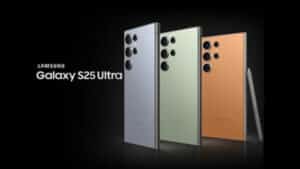
If you want you can check out the new features of Samsung Galaxy S25 Ultra containing One UI 7!
FAQs
1. Which devices will see the One UI 7 update?
One UI 7 will be accessible on the most popular Galaxy devices, with support for the latest models in the Galaxy S, Galaxy Note, and Galaxy Z families. The update will roll out regionally so ensure to check for software updates in your settings.
2. how does the phone call recording features work?
The feature enables users to record phone calls using the dialer itself. The feature also transcribes calls, making it simple to convert recorded calls to text. (Restrictions may apply regarding this feature based on local laws and regulations)
3. Can I make changes to the lock screen in One UI 7?
Yes! One UI 7 includes a mess of customization for the lock screen thanks to the “now bar,” which gives you easy access to live activities. Users may edit their lock display background, widgets, and controls as wished.
4. Will battery life will improve with One UI 7?
Battery life optimizations will vary based on the device model and usage patterns, but One UI 7 brings several performance optimizations. Samsung is much more focused on battery management (thanks to the rollout of features like adaptive battery) that might help improve battery life.
5. So how to open the new Quick Settings in One UI 7?
The new quick settings panel can be accessed by swiping down from the top of your screen. You get a streamlined layout, and more controls to customize things to your liking. You can even switch between the legacy and new quick settings layouts for something more familiar.