Unveiling the Powerhouse: A Comprehensive Look at All iOS 17 Features

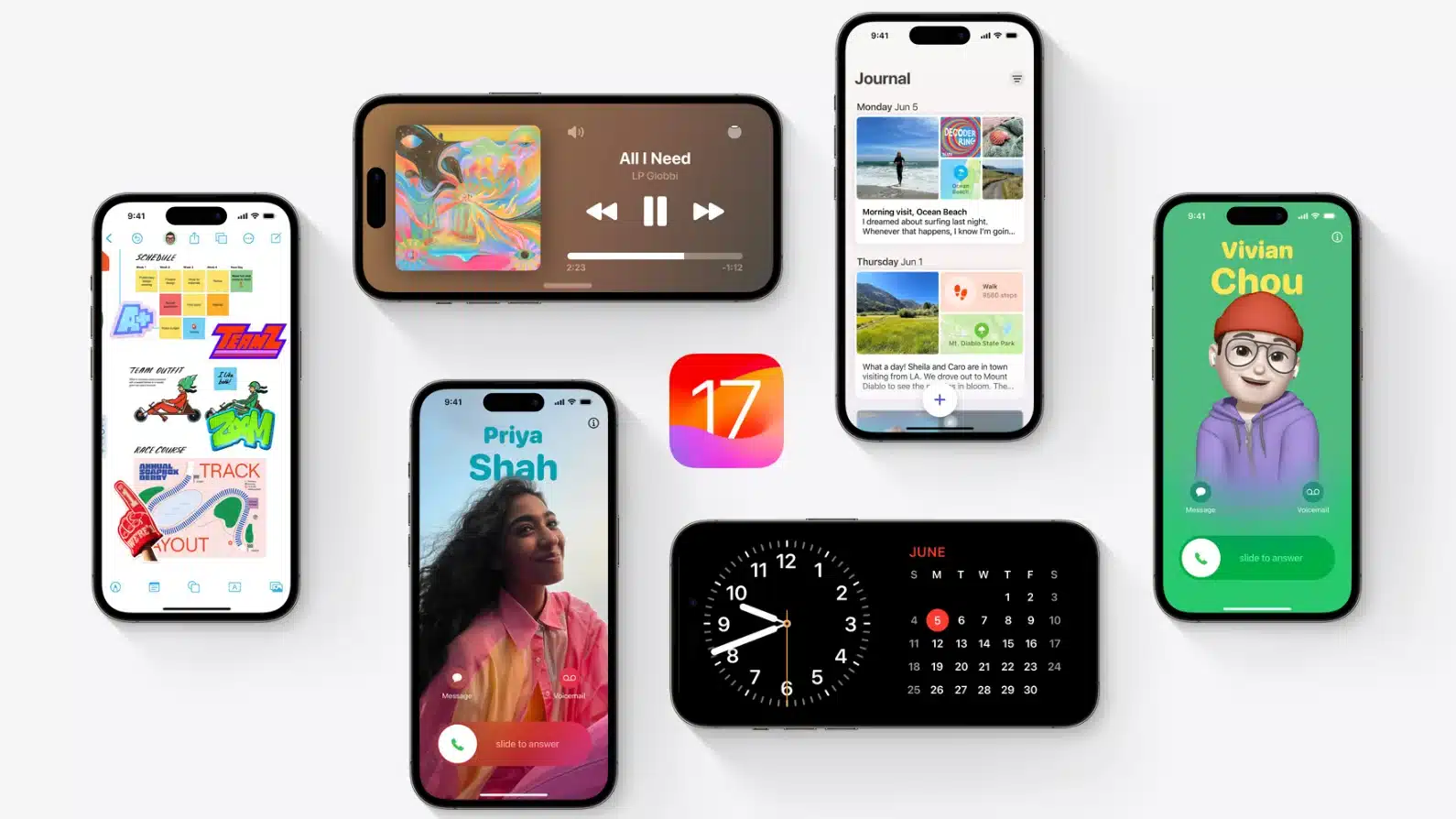
iOS 17 is the latest version of Apple’s operating system designed for iPhones, offering new features for Phone, FaceTime, and Messages. It also includes improvements for other apps and an all-new app for journaling. FaceTime now supports audio and video messages, with gesture-activated effects and third-party apps. Apple TV 4K can now link to FaceTime on the TV, allowing FaceTime calls to be transferred between devices. The Messages app has a cleaner interface, with location sharing and Check In features. Apple also improved autocorrect, adding a new machine learning model for better prediction and speech recognition for dictation. The new features make the iPhone experience more efficient and enjoyable.
iOS 17 offers a range of improvements and enhancements for the iPhone, including StandBy mode, interactive widgets, mood tracking, and a Journal app. The Health app allows users to log their emotions and track their state of mind over time, while the TrueDepth camera helps determine if users are too close to their screen. The Photos app can now recognize pets and Visual Look Up works in paused video. Passwords and passkeys can be shared through a Family Sharing feature in the Passwords app, while Apple Music supports Collaborative Playlists and SharePlay in the car. Apple has released iOS 17 with numerous new features for various iOS apps, including Phone, Messages, Photos, Notes, and Reminders. Missed calls on Apple Watch can be played back on both the iPhone and the iPhone. Overall, iOS 17 offers a comprehensive update for iOS users, ensuring a seamless and enjoyable experience on the iPhone.
Maps
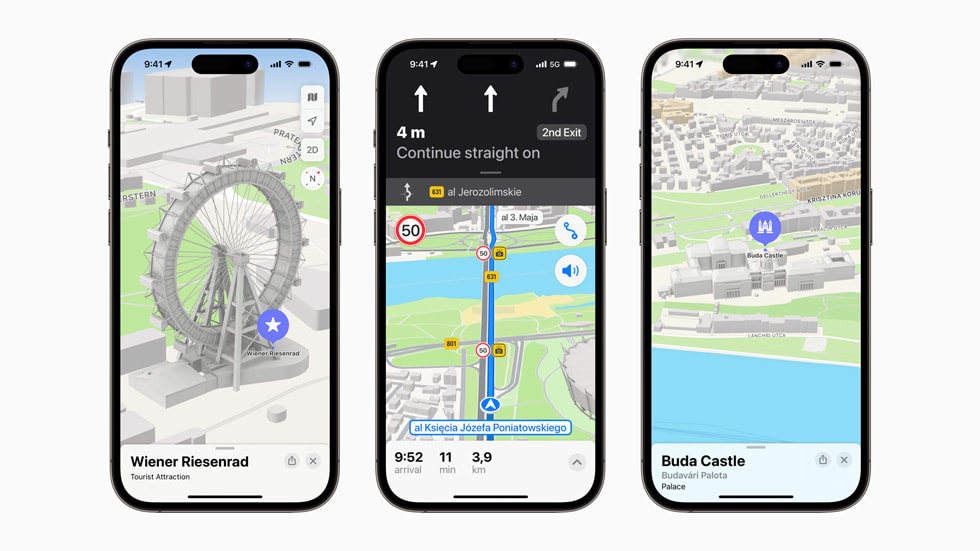
Maps now allows users to download offline maps for select regions, while AirTags can be shared with others for real-time charging availability information. In iOS 17, users will be able to save Maps and access them without an internet connection. This allows users to save and explore specific areas of the maps app while offline, retaining information like business hours and ratings. Additionally, Maps now shows real-time charging station availability along Maps routes for those who own electric vehicles.
AirPlay
AirPlay is smarter and can learn device sharing preferences, and later this year, select hotels will support AirPlay on TVs for easier access to content when traveling.
Reminders
Reminders now has a built-in grocery list and deeper support for PDFs.
Siri
Siri can now be activated without needing to say “Siri,” and multiple commands can be issued in succession without needing to reactivate Siri.
The Mail app
The Mail app supports automatic filling of verification codes, while Apple News offers daily crossword puzzles and Apple News+ Audio Stories in the Podcasts app. The Fitness app offers workout highlights, custom plans, and new drawing tools. Personal Voice allows users to create a voice that sounds like theirs, and Live Speech accessibility features allow typed words to be spoken in person, on the phone, or through FaceTime.
StandBy

Apple has made significant changes to the Lock Screen in iOS 16, introducing StandBy, a new Lock Screen mode for the iPhone that kicks in whenever the device is charging. This mode allows users to display time, calendar, favorite photos, incoming notifications, music playback controls, Siri responses, Live Activities, and more through widget support.
Interactive widgets
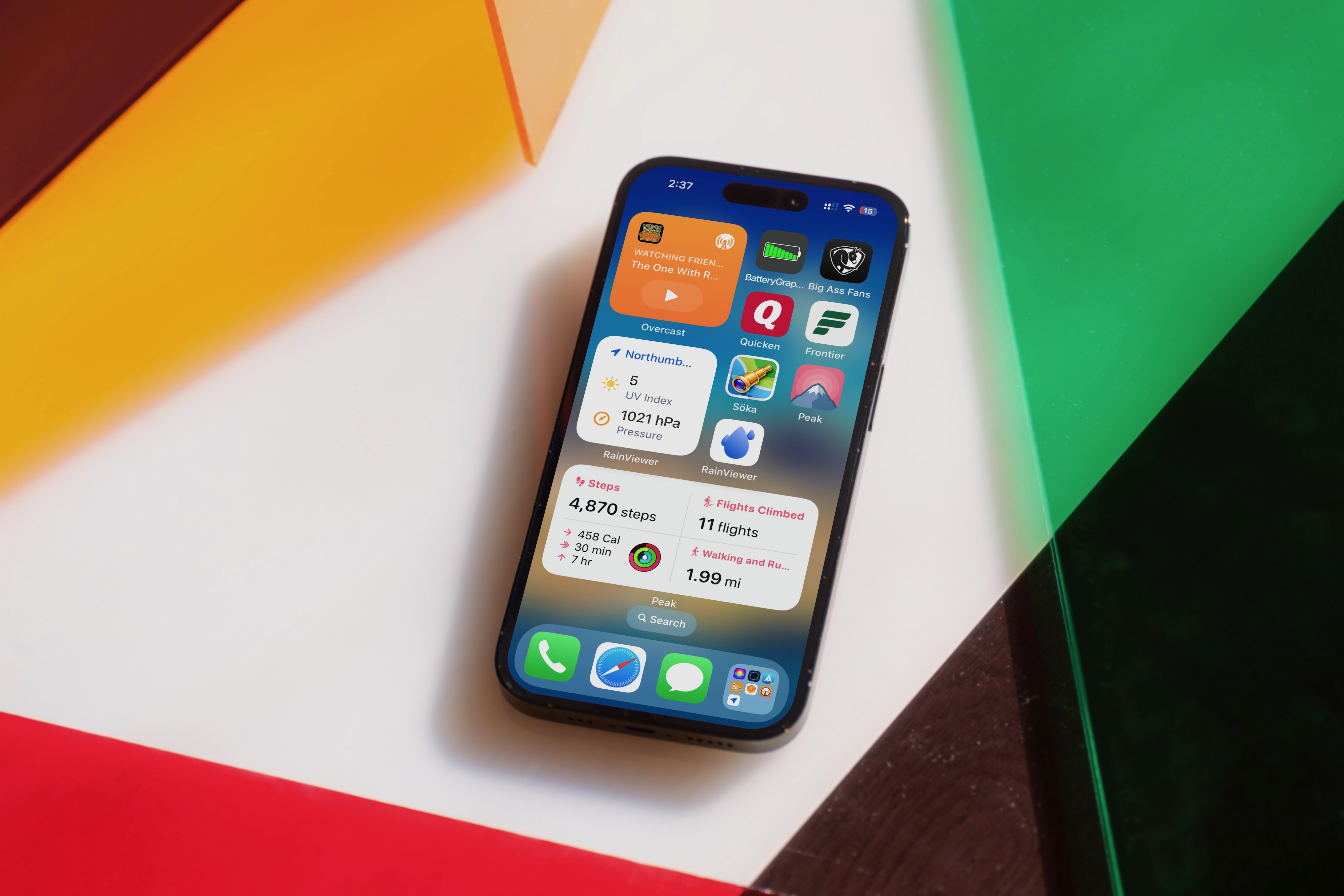
Interactive widgets on the Lock Screen and Home Screen allow users to use them without opening an app.
Keyboard
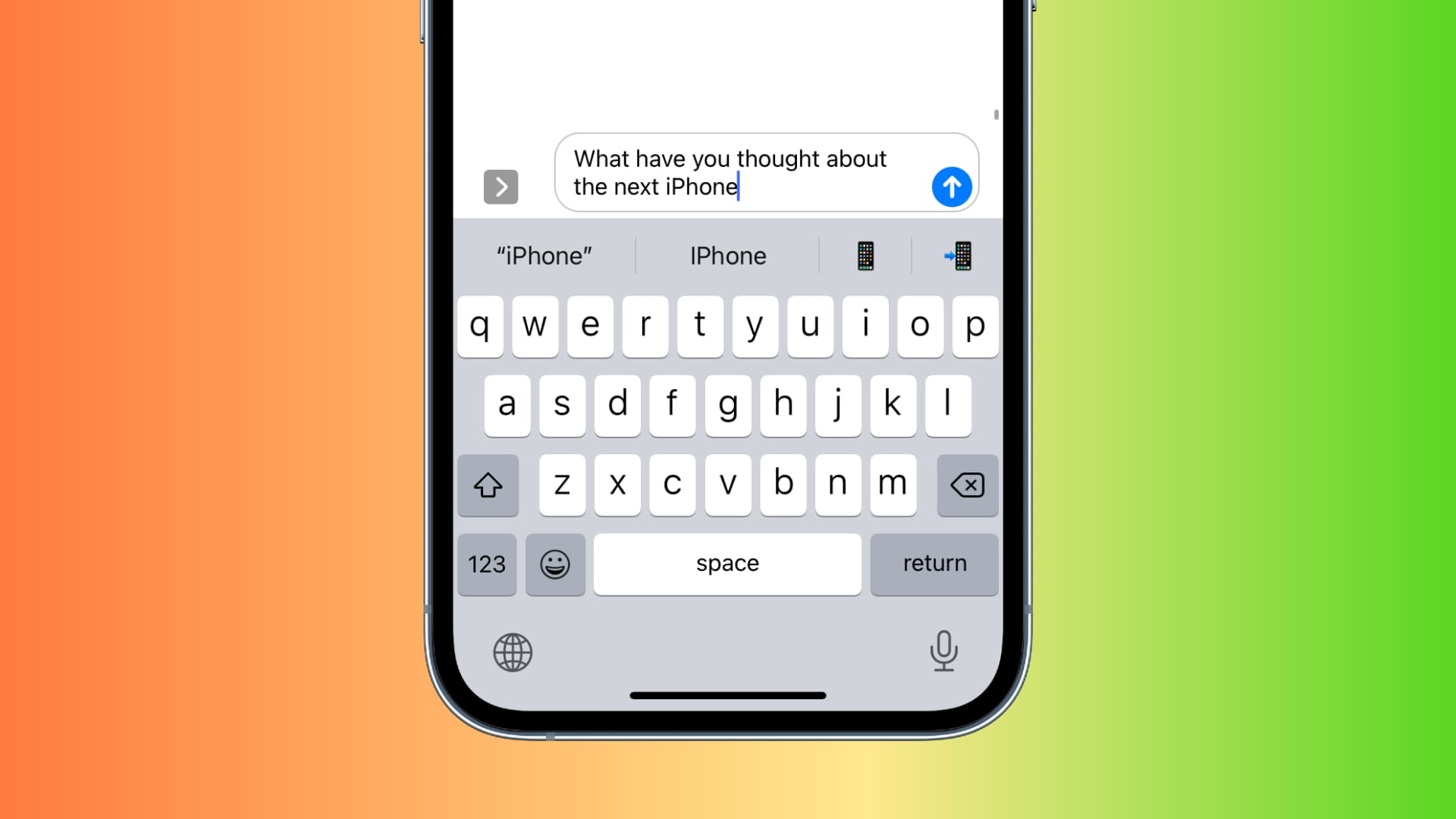
Keyboard changes include updated machine learning technology for improved autocorrect, which now offers better predictions and grammar suggestions. Additionally, iPhone and iPad users can now use inline predictions to finish words without having to reach up and tap to insert a word.
AirDrop
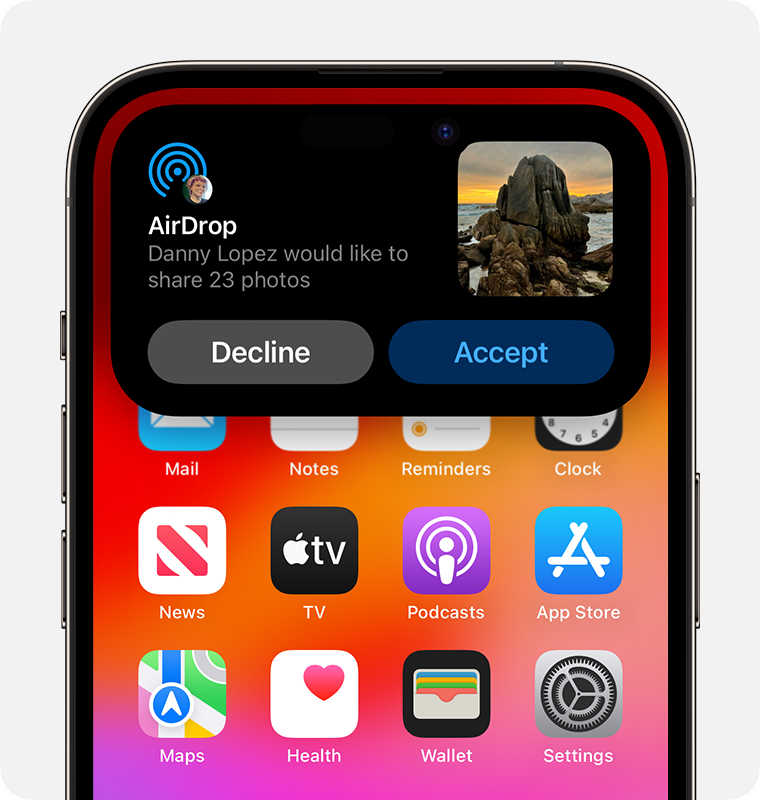
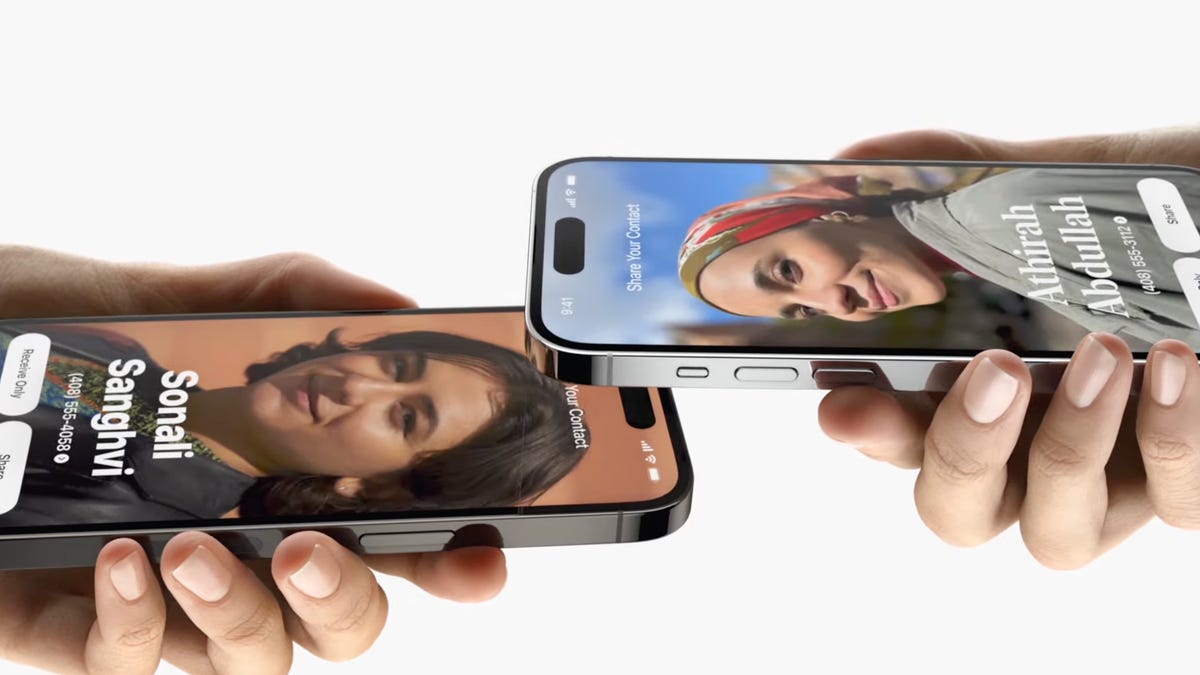
AirDrop updates include NameDrop, proximity sharing, internet transfers, and SharePlay initiation. These updates aim to make the Lock Screen more useful and efficient for users on the iPhone.
The Phone app
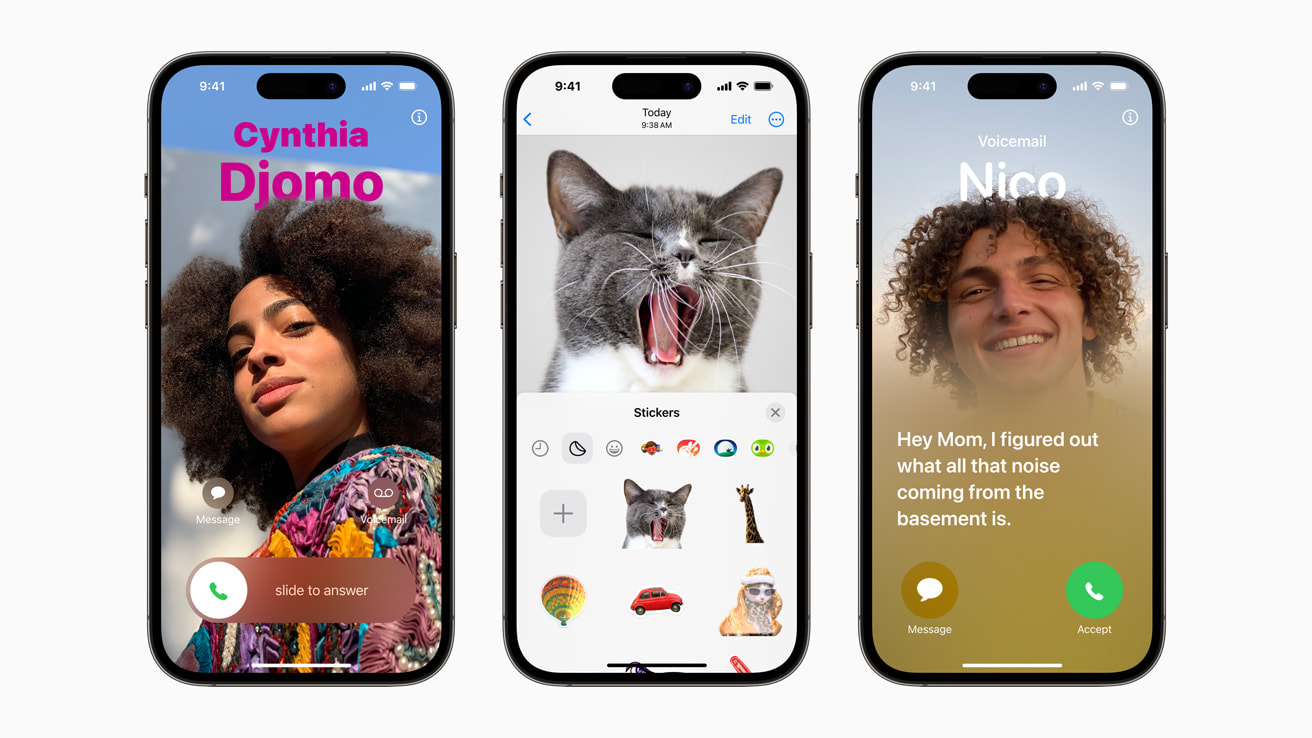
The Phone app now offers Contact Posters, allowing users to customize their call screen with images or Memoji. Live Voicemail allows users to see transcriptions of voicemails in real-time on the Lock Screen, allowing them to pick up the phone if it’s important or ignore the message.
The Messages app
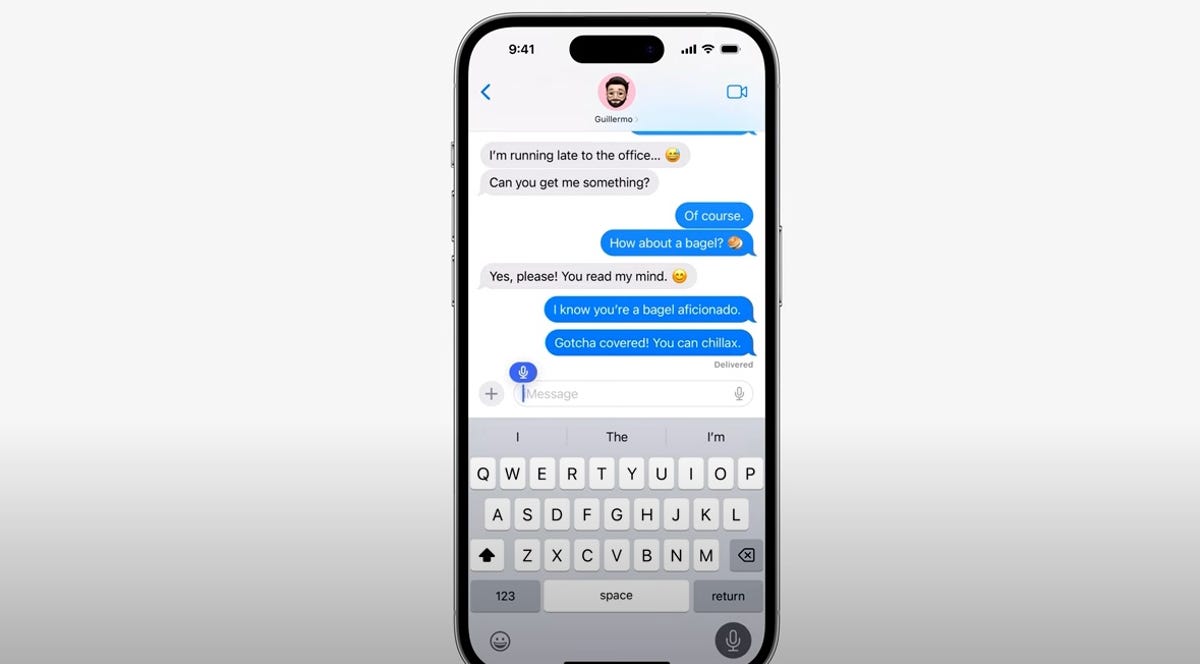
The Messages app has been updated to give it a cleaner look, with all apps and tools accessible by tapping the “+” button. The Check In safety feature allows users to let friends and family know when they’re going somewhere, and Messages will check in with them when they reach their destination. Sticker creation and sticker reactions have been added, allowing users to use emoji and stickers to react to messages. Stickers can be used anywhere emoji can be accessed, including App Store apps, pictures, emails, and more. Catch-Up arrows, swipe replies, search filters, location sharing, audio message transcriptions, and auto-delete verification codes have also been introduced.
FaceTime

FaceTime now allows users to leave video or audio messages when someone misses their call, similar to how they can leave a voicemail for a missed phone call. FaceTime reactions add fun 3D augmented reality effects with certain hand gestures, and iPhone and iPad users with an Apple TV can use Continuity Camera for FaceTime on the big screen.
Journal app
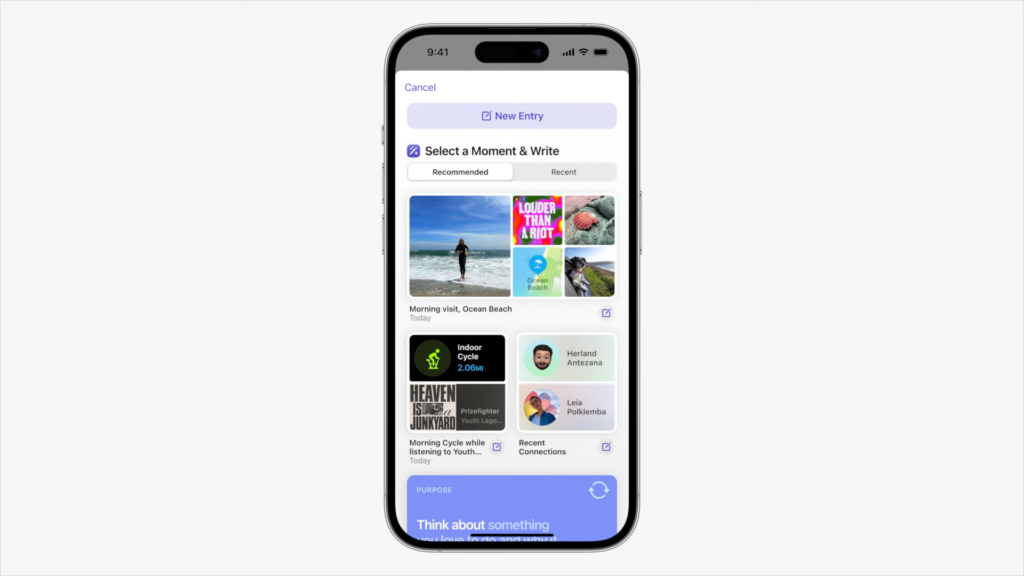
Apple is set to introduce a new Journal app for iPhone and iPad users, allowing them to record their daily thoughts and activities. The app will integrate photos, music, and audio recordings from your iPhone, suggesting topics for you to write about. It is passcode and Face ID protected, and all suggestions are done on-device.
Safari

Safari supports profiles in iOS 17, allowing users to have profiles for different activities like work and personal use. Passwords and passkeys in iCloud Keychain can be shared with friends and family members, ensuring that passwords stay up-to-date for everyone. Safari now supports profiles for different activities, with separate histories, extensions, cookies, favorites, and Tab Groups.
Photos
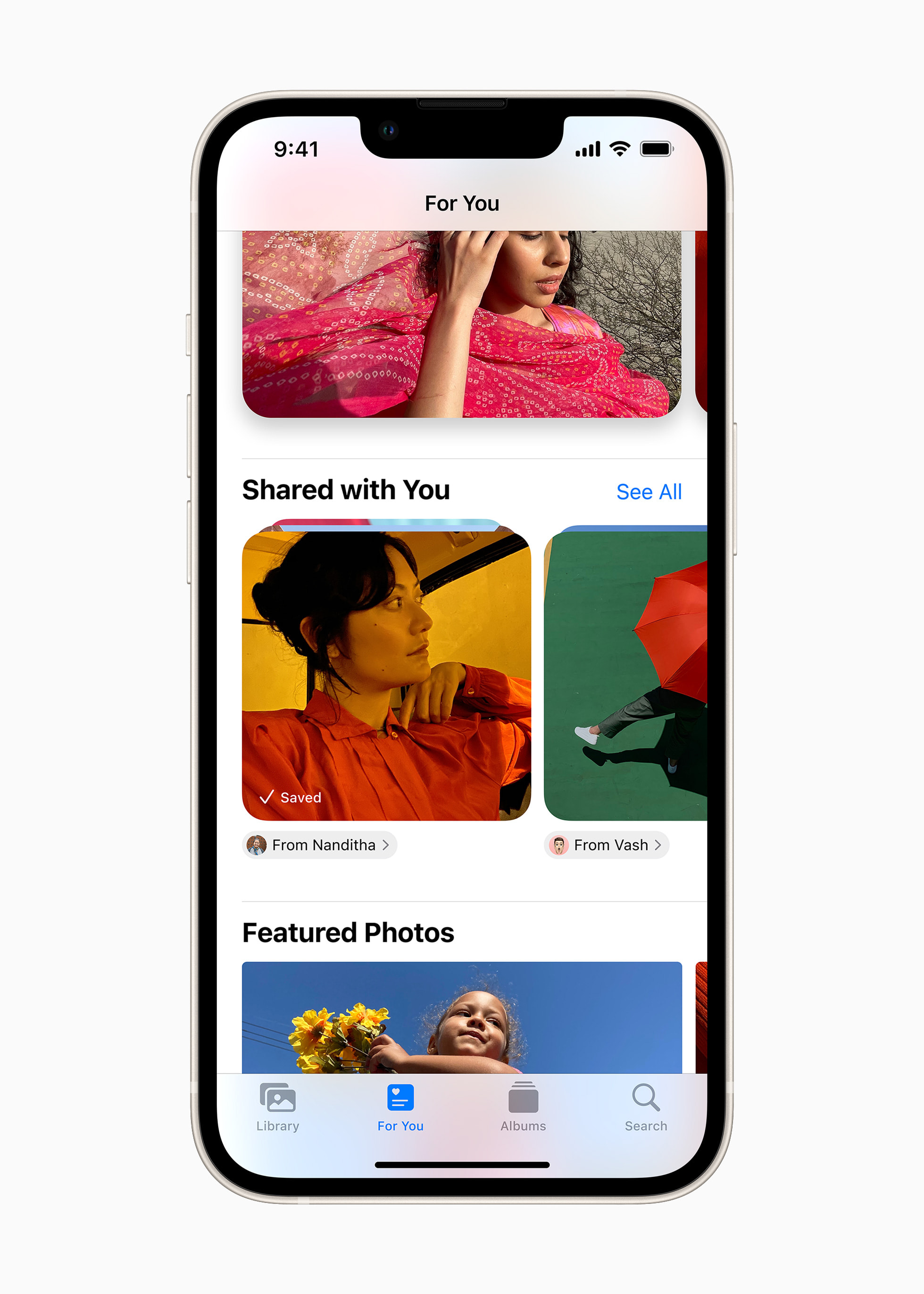
Photos has improved recognition of people and pets, and Visual Look Up now works with food and other images across iOS. Other features include one-tap cropping, interface updates, and a screenshot interface.
The Health app
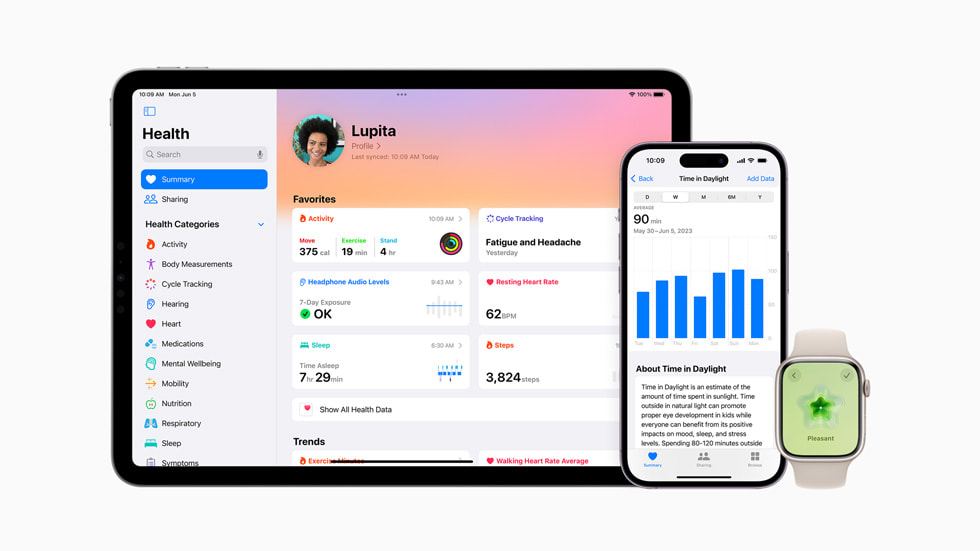
The Health app offers new mental health features, including mood tracking, critical medication reminders, screen distance, daylight exposure for children, and mental health assessments for anxiety and depression. The Mail app also has an option to autofill one-time verification codes received in Mail in Safari without opening the app.
The Music app
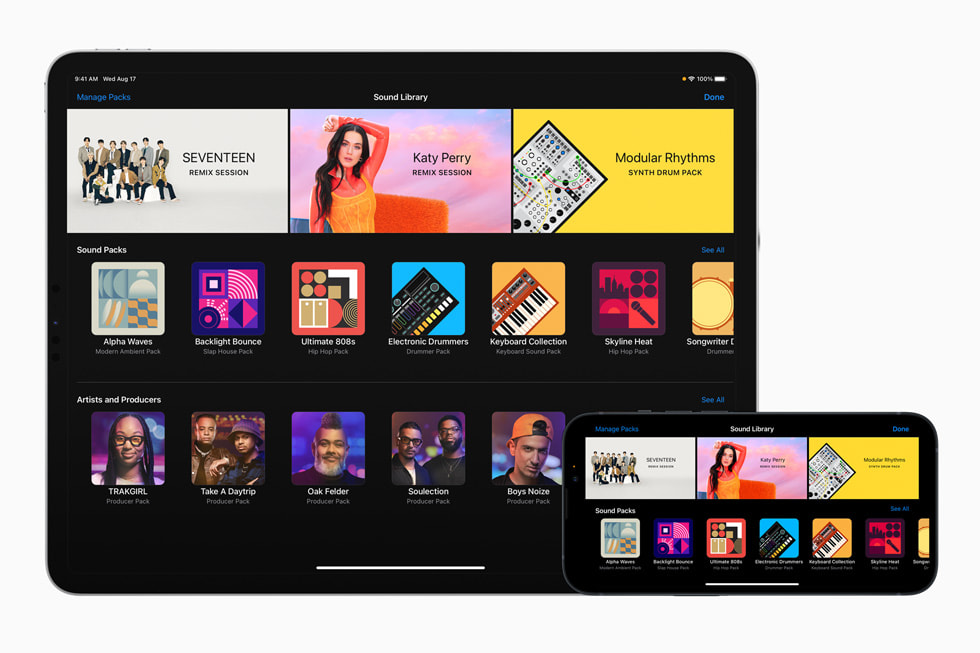
Apple has introduced several updates to its iPhone app, including new features such as crossfade, updated interface, lyric updates, and song credits. The Music app now supports collaborative playlists, allowing friends and family members to add, reorder, and remove songs with emoji.
Weather app
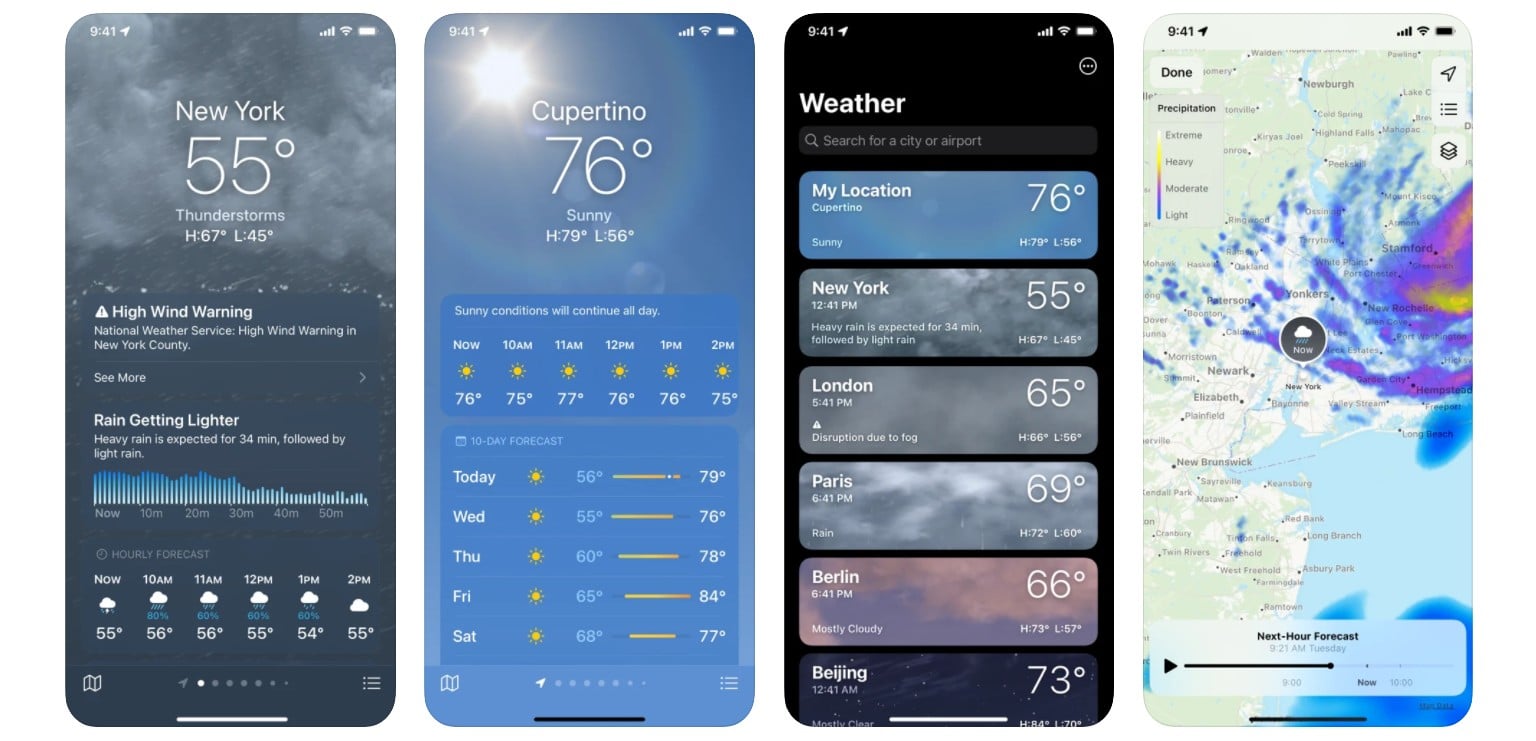
The Weather app features a moon module, weather forecasts, wind modules, averages modules, comparisons, and units. The Weather app also includes-
- Changes to the user interface include a prominent “My Location” text that links to the weather prediction for your present location, along with the city name.
- Ten-day prediction now includes yesterday’s weather The Weather app now includes yesterday’s weather in the 10-day forecast.
- Predictions – 10-day forecasts feature not only a “daily summary” of the weather conditions but also the possibility of rain for each day.
- The Wind module is a larger version of the Weather module that provides additional information, including a scale for measuring wind speed and a comparison to the previous day’s conditions.
- Averages Module – The current temperature is compared to the daily average in a new Averages weather module.
- UV index, humidity, the “Feels Like” rating, and visibility are all compared on a day-to-day basis.
- Change the wind speed, precipitation, barometric pressure, and distance units to suit your needs.
The Reminders app
The Reminders app can automatically sort groceries into categories for easier shopping, and users can schedule alerts up to six months in advance. The Notes app now supports interlinking, PDFs, and enhanced autofill. AirTags and Find My network accessories can now be shared between up to five people, and the Freeform app on iPhone and iPad supports additional drawing tools.
Apple News+
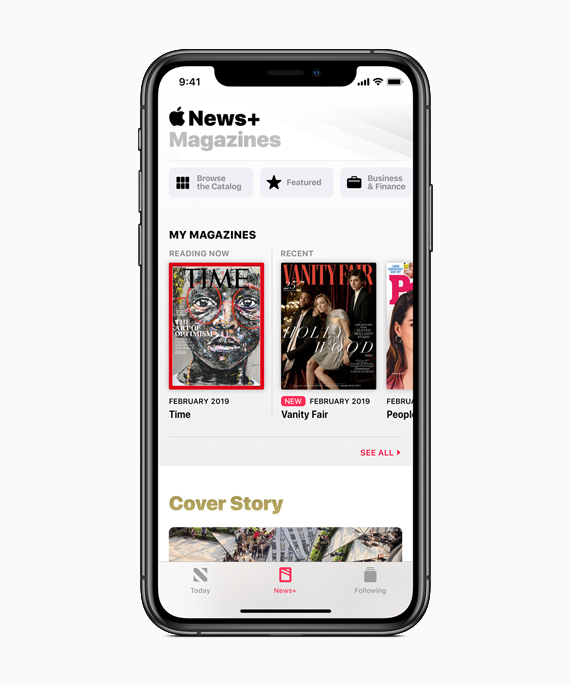
Apple News+ subscribers can access daily crossword puzzles, and the interface for lights supports multiple colors. Home now includes an Activity History, and users can present a driver’s license or ID stored in the Wallet app at participating businesses and venues to verify age and identity. The Shortcuts app now includes a “Transaction” option that triggers an action when a Wallet Card or Pass is tapped, and recurring Apple Cash payments can be scheduled for children on a weekly, bimonthly, or monthly basis.
Podcasts
Podcasts have also seen changes, such as a new design for the Now Playing screen, a dedicated queue button, and a compact playback indicator. These updates aim to improve user experience and enhance the overall user experience on the iPhone.
Camera App
Apple has released iOS 17 updates to its iPhone, enhancing the functionality of the Camera App, AirPods, Siri, and Spotlight. The camera leveling function has been updated, and the app now supports QR codes for easier tap-ins. Additionally, the App Store app now shows the time remaining for app downloads.
AirPlay
AirPlay is also updated with new features, such as adaptive audio for second-generation AirPods Pro, which blends Transparency and Active Noise Cancellation modes into one. This feature allows Siri to automatically tailor noise control based on user’s environment and interactions throughout the day. Siri in India now supports bilingual queries in English, Punjabi, Kannada, or Marathi, and two new “British” Siri voices.
CarPlay
CarPlay has seen improvements, including SharePlay for the Music App, which allows everyone in the car to contribute to an Apple Music playlist. Accessibility features include Personal Voice for those in danger of losing their ability to speak and Assistive Access for a simpler iOS interface. Other smaller tweaks to iPhone features include faster Haptic Feedback, multiple timers, ping Apple Watch, Fitness+ Custom Plans, and updated slider animations in Control Center.
IOS 17 is compatible with-
iPhone XR/iPhone XS and later, dropping support for the iPhone 8, iPhone 8 Plus, and iPhone X. Compatible models include iPhone 14 and iPhone 14 Plus, iPhone 14 Pro and iPhone 14 Pro Max, iPhone 13 and iPhone 13 mini, iPhone 12 and iPhone 12 mini, iPhone 12 Pro and iPhone 12 Pro Max, iPhone 11 and iPhone 11 Pro and iPhone 11 Pro Max, iPhone XS and iPhone XS Max, and iPhone SE (2nd generation or later).